Turn any topic into an in-house expert you can ask anything.
Point it at a YouTube channel, a podcast feed, a stack of PDFs. It watches every minute, transcribes every word, and turns it into a searchable knowledge base — answering your questions with citations back to the exact second in the exact source. No cloud. No subscription. Your knowledge, on your hardware.
Four commands.
A working knowledge base in 6 minutes.
No GUI to learn, no account to create. Each card below is one of the four commands the binary prints when you run it. Top to bottom is the full path from empty disk to a Seed answering questions.
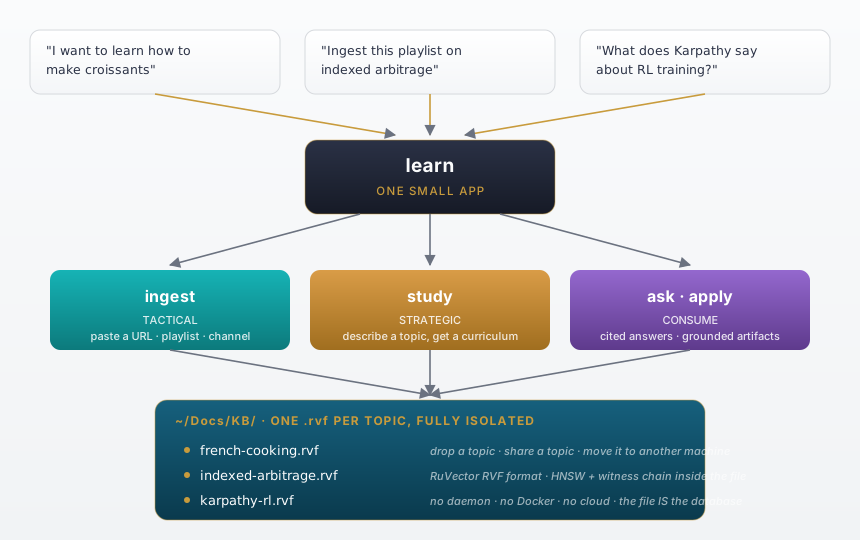
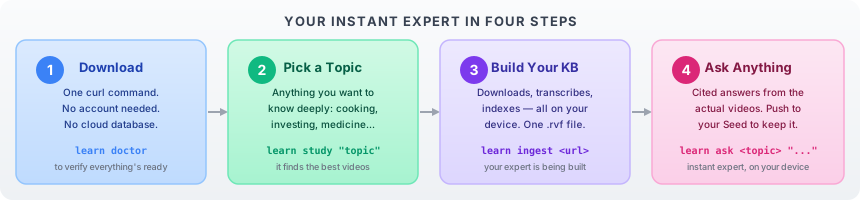
- STEP 1
Verify the setup
$ learn doctorChecks the Rust toolchain, ffmpeg, yt-dlp, your Anthropic key, and whether a Seed is reachable on the network on the network.
✓ Rust 1.87.0
✓ ffmpeg 7.1
✓ yt-dlp 2026.05
✓ ANTHROPIC_API_KEY
✓ Seed @ 192.168.1.42 (1.2 ms)
- STEP 2
Find + watch the experts
$ learn study "longevity"Discovers top channels for your topic, downloads, transcribes, chunks, embeds — locally — and writes one .rvf file.
→ discovered 4 channels · 38 videos
→ downloading · 91h 14m of audio
→ transcribing (Whisper.cpp on-device)
→ embedding 14,800 chunks · BGE-small
✓ longevity.rvf  (47 MB)  6m 12s
- STEP 3
Ask, with citations
$ learn ask longevity "<question>"HyDE expansion → hybrid retrieve (dense + BM25) → cross-encoder rerank → MMR diversity → cited synthesis.
Q: "how does morning light affect sleep?"
  retrieving · 6 chunks · 12 ms
  synthesizing · 850 ms
  citations: [1] [2] [3]  ←  timestamps
✓ answer ready  (click to expand below)
- STEP 4
Push it to your Seed
$ learn push longevityTransfers the .rvf to the Cognitum One Seed. From then on, the Seed answers your questions, on-device, even offline.
→ packaging longevity.rvf (47 MB)
→ pushing to Cognitum @ 192.168.1.42
✓ Seed now serving longevity
  query it via MCP, REST, or the dashboard
terminal output above is illustrative · real numbers vary by topic
Six stages.
Two devices. One destination.
Your Mac does the temporary work — downloading, watching, learning. Your Cognitum One Seed gets the permanent result: one signed file that holds the whole knowledge base, ready to answer questions on-device, offline, forever.
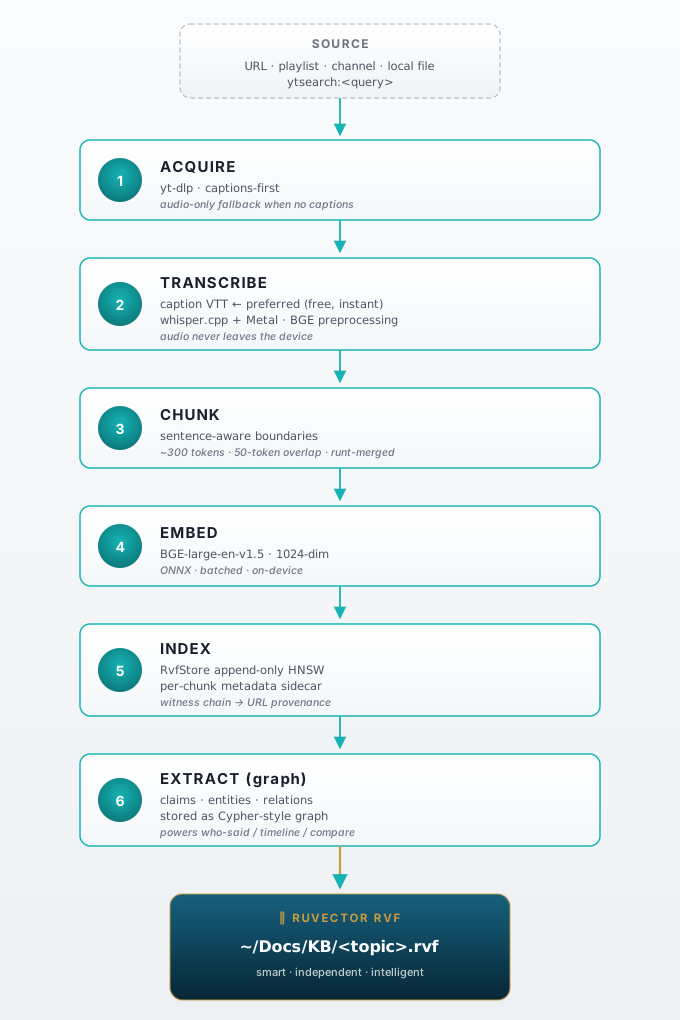
- 01
Discover
Cognitum finds the best videos on your topic and ranks them for you.
+how it actually runs
On `learn study`, it asks Claude to curate the top channels for your topic, then orders individual videos by signal-to-noise. Skip with `learn ingest` if you already have URLs.
- 02
Acquire & Read
Each video is downloaded; captions are pulled straight from the source.
+how it actually runs
yt-dlp pulls the audio + caption tracks. If captions are missing, falls back to Whisper.cpp (Metal-accelerated on M-series) for local transcription. No cloud round-trip for the audio.
- 03· auto
Watch
When the video is visual — slides, demos, diagrams — it watches the picture too.
+how it actually runs
Perceptual-hash variance auto-decides per video. ffmpeg extracts keyframes; Claude Sonnet vision captions them. Skipped for talking-heads to save tokens.
- 04
Understand
Every moment becomes a 384-dim fingerprint, anchored to its exact timestamp.
+how it actually runs
Sentence-aware chunking with stable SHA-256 claim IDs, then BGE-small-en-v1.5 (384-dim ONNX) on Metal. ~50 ms per chunk. The vectors are how questions find their answers.
- 05
Seal
Everything is written into one signed .rvf file you own — proof attached to every claim.
.rvfRuVector File. One signed binary. Your whole knowledge base.+how it actually runs
Append-only binary: HNSW vector index + content-addressable chunks + Ed25519 witness chain. Open with the rvf CLI or @ruvector/rvf in Node. Survives the vendor.
- 06
Deliver to Seed
The finished expert lands on your Cognitum One Seed — answering offline, forever.
+how it actually runs
mDNS discovers your Seed on the local network; vectors push over HTTP. The Seed stores them in its own RVF store and serves queries via MCP, REST, or the dashboard. Your Mac can power off — the Seed stays live.
two compute locations · your Mac builds it · your Seed keeps it
Click a topic.
See the answer.
Click a citation.
Four knowledge bases the Seed could host at once. Every answer cites the exact second of the source it came from — not a paraphrase, not a summary, the actual moment.
static preview · the live dashboard renders identical structure when you run learn ui
- [1]Master Your Sleep · Andrew Huberman12:48
- [2]Huberman Lab Ep. 68 · with Matthew Walker23:14
- [3]Optimize Morning Routines · Huberman Lab04:32
You went to bed.
Your Seed went to work.
It does the watching. You wake up the expert. The whole reason you bought the device — autonomous research, on hardware that doesn’t need permission from a vendor.
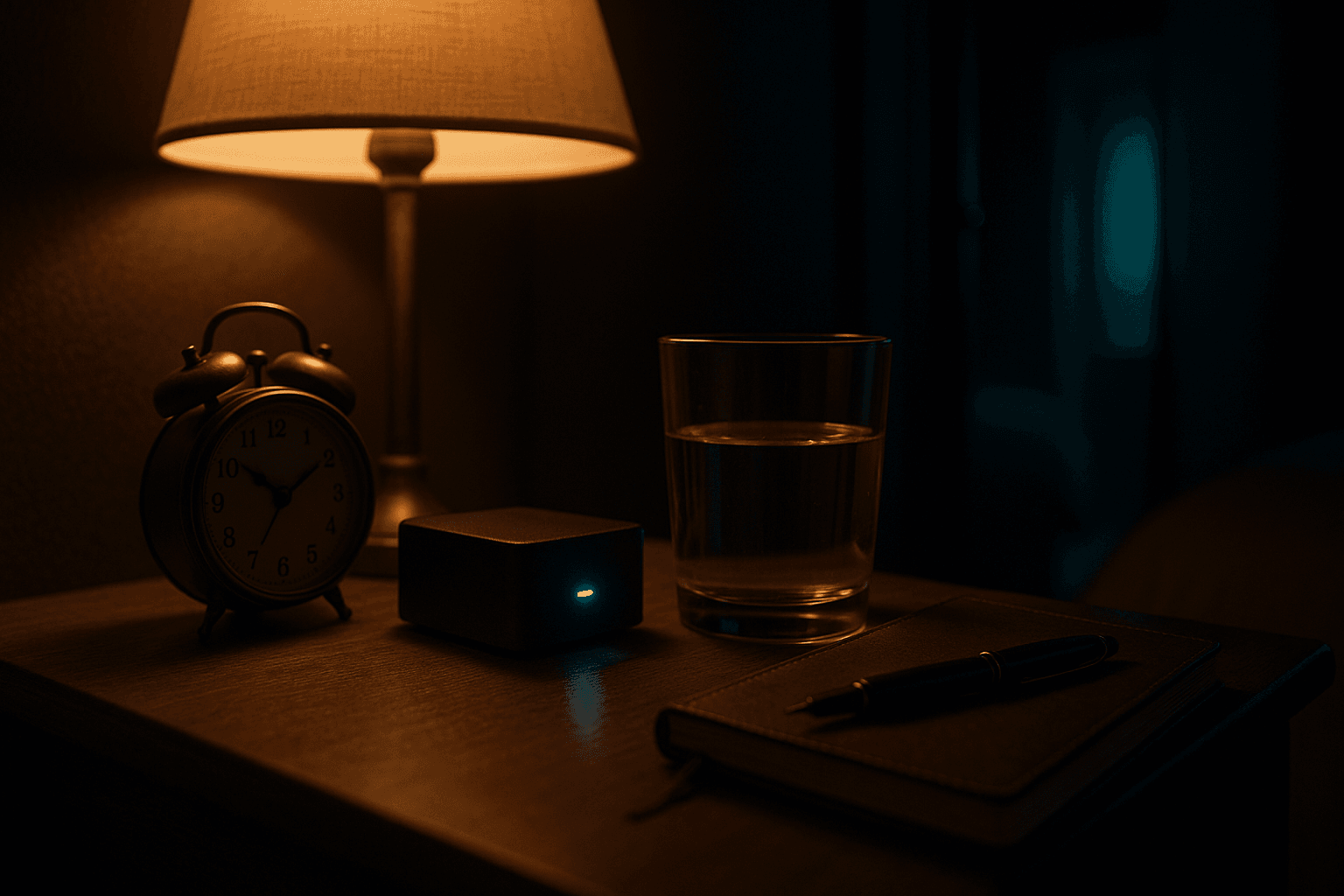
- 9:14 pmYou paste @AndrewHuberman's YouTube channel into the dashboard and close your laptop.
- 11:47 pmSeed has fetched 38 episodes — about 91 hours of audio.
- 2:14 amEvery word transcribed locally. Every speaker labeled. Every chapter found.
- 3:22 am14,800 vector chunks indexed in HNSW. Searchable in 12 ms.
- 7:00 amYou pour coffee. You ask: “what does Huberman actually say about morning light?” Answer in 850 ms with six cited timestamps you can click through.
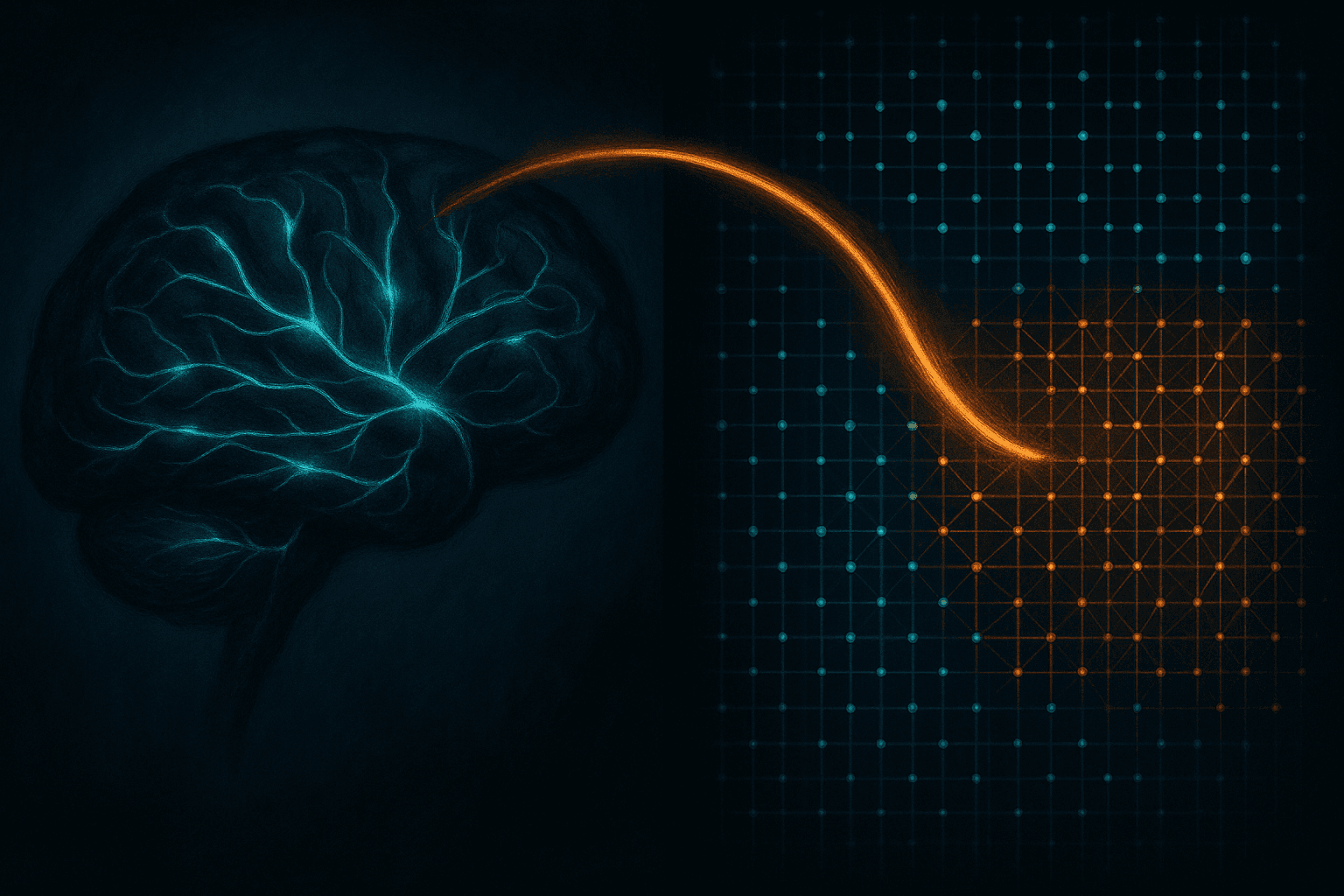
It remembers the way your brain does.
Your brain doesn’t store an MP4 of every lecture you’ve ever attended. It stores meaning. Patterns. The exact moment the speaker said the thing that made the rest of the talk make sense.
Your Seed does the same. Every minute of video becomes a few thousand small mathematical fingerprints — vectors — that hold “this is the part about preserving wild salmon runs” or “this is where she finally explains options theta decay.”
Ask the Seed anything later. The right fingerprints light up in milliseconds. You get the answer with timestamps you can click through and verify.
384 numbers per moment. Hundreds of thousands per topic. Brain-style recall on a device the size of your wallet.
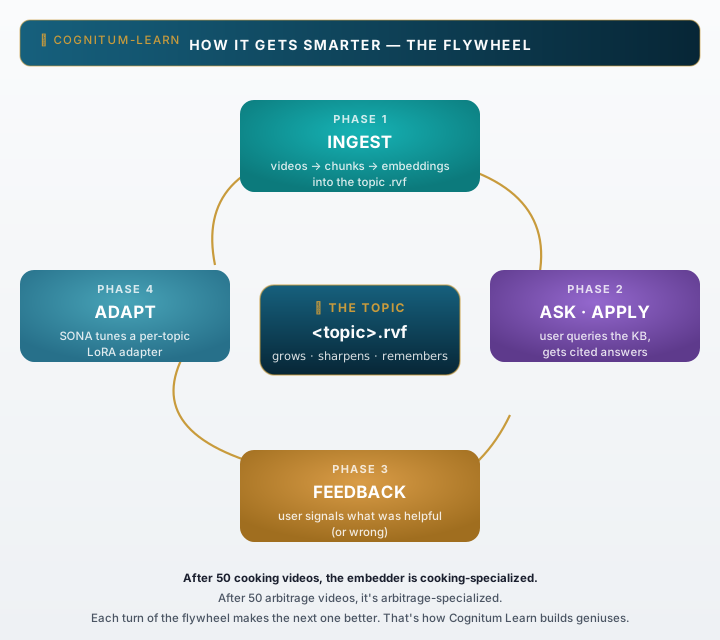
Every question makes the next answer sharper.
Your Seed learns how you learn.
Each time you ask and click a citation, the SONA per-topic adapter quietly notes which chunks were useful and which weren’t. Over weeks, the same KB gets faster, more relevant, more yours — without you ever leaving the loop.
ChatGPT can read a PDF.
That’s not what this is for.
This is for the topics where the answer lives across five different experts and forty hours of YouTube. Retirement planning at 45. Day trading with AI to beat the retail average. Building a 10kW DIY solar install. Six weeks across Southeast Asia under $4k.
The kind of question where you’d need to watch a dozen long videos, take notes, cross-reference what disagrees, and remember it months later. Your Seed does that. It does the watching, the synthesizing, and the remembering — so you do the thinking.
Then it answers — citing the exact timestamp in the exact video — until you know the field better than the people who’ve been selling courses about it.
ChatGPT wins some rows. Perplexity wins others.
The rows that matter most? Only one column ticks.
We didn’t cherry-pick. Live web search and multimodal output go to the cloud incumbents and we’re glad those exist. On sovereignty, durability, and zero ongoing cost — that’s where the asymmetry shows up.
| Capability | NotebookLM | ChatGPT | Perplexity | cognitum-learn |
|---|---|---|---|---|
| Watches hours of video for you | — | — | — | |
| Cited answers with timestamps | — | |||
| Live web search / fresh data | — | — | ||
| Multimodal output (images, code) | — | — | — | |
| Runs offline | — | — | — | |
| No account required | — | — | — | |
| Zero monthly fee | — | — | — | |
| Your KB outlives the vendor | — | — | — | |
| Hardware you can hold | — | — | — |
capabilities change · sovereignty does not
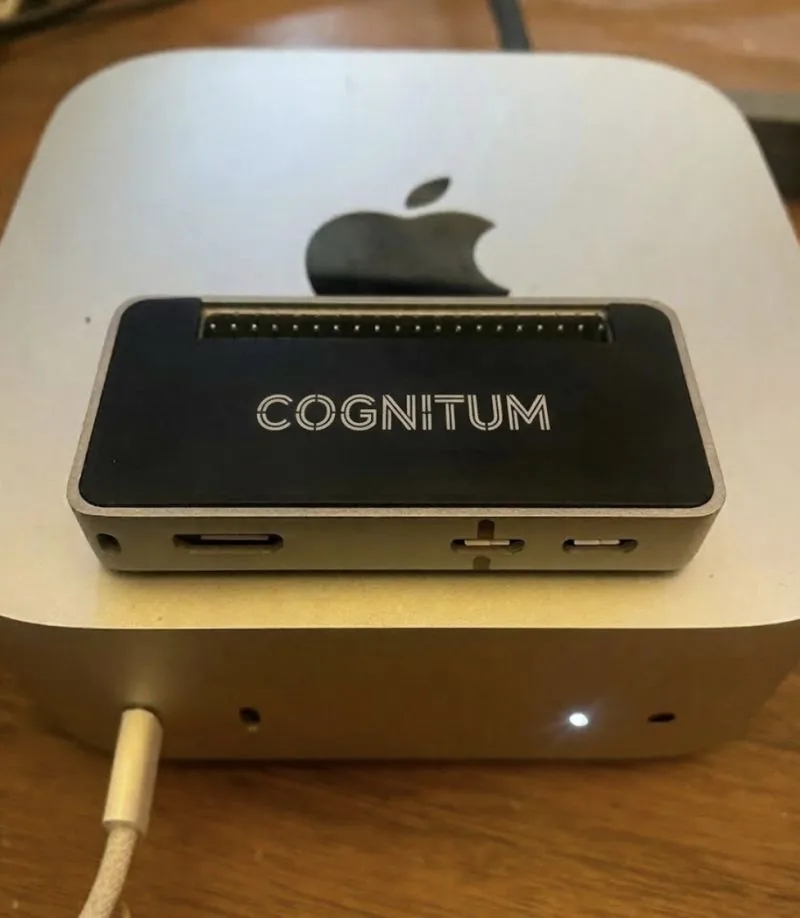
A palm-sized appliance with a
live LED matrix on the front.
The Cognitum One Seed is a small Linux device running cognitum-agent: a vector database (RuVector, HNSW-indexed) plus local inference, exposed over your network or via USB.
The LED matrix on the front face shows ingest progress, query activity, and Seed status — you can see when it’s working. Plug it in, point it at your sources, watch it light up.
- Footprint
- Palm-sized, flat horizontal enclosure. Lives quietly on a bookshelf.
- Display
- Live LED matrix — ingest progress, query activity, Seed status.
- Storage
- microSD. Hundreds of hours of transcribed video per card.
- Power
- USB-powered. Sips current. Run it 24/7 and forget about it.
- Networking
- WiFi · mDNS discovery · USB gadget mode for travel.
- Open
- MCP server for Claude/Cursor. REST API. Rust, Node, Python SDKs.
More compute. More storage.
More ports for everything.
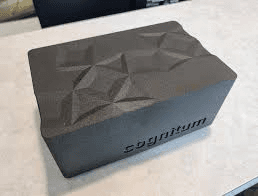
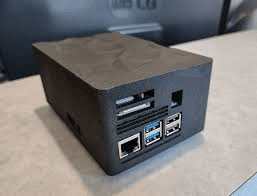
The next-generation Cognitum One Seed steps up to a faceted matte-black enclosure with a full back-panel of I/O — gigabit Ethernet, USB-A 3.0, microSD, dedicated power. Same software stack as your Seed, larger headroom for bigger knowledge bases and faster local inference.
If you’re evaluating for a corner-of-the-desk install where ports matter, this is the one to wait for.
Install once.
Run for years.
cognitum-learnis a single self-contained binary. Download for your platform, install two system tools, and you’re running the local dashboard in three minutes — no Rust toolchain required.
binary ~17 MB · launches at 127.0.0.1:7878 · zero cloud
Install cognitum-learn
On a Mac (Apple Silicon), one command downloads the prebuilt binary and installs it. No Rust toolchain required.
Intel Mac, Linux, or Windows? Grab a prebuilt binary for your platform.
+Advanced · I have Rust installed
Build from source with Cargo — fetches everything from GitHub, no clone or path-tweaks. Takes a few minutes to compile.
Install yt-dlp + ffmpeg
on Linux: sudo apt install yt-dlp ffmpeg
Start the local dashboard
learn doctor verifies the deps and auto-downloads the embedding model (~130 MB, one-time). learn ui opens the dashboard at http://127.0.0.1:7878/visual — paste a YouTube URL or just say what you want to learn.
The obvious questions.
No fluff. Click any.
What if I don’t have a Seed yet?+
What does it cost?+
Can I really build an expert on anything?+
How is this different from feeding ChatGPT a PDF?+
Does this need internet?+
How does this page talk to my Seed?+
This is what Monday morning
looks like now.
You unbox your Seed. You point it at the channels and feeds and lectures you’ve been meaning to get to for a year. It works while you sleep. You wake up the world’s foremost authority — on the things that matter to you.